
Best Orderflow Chart Columns for Futures
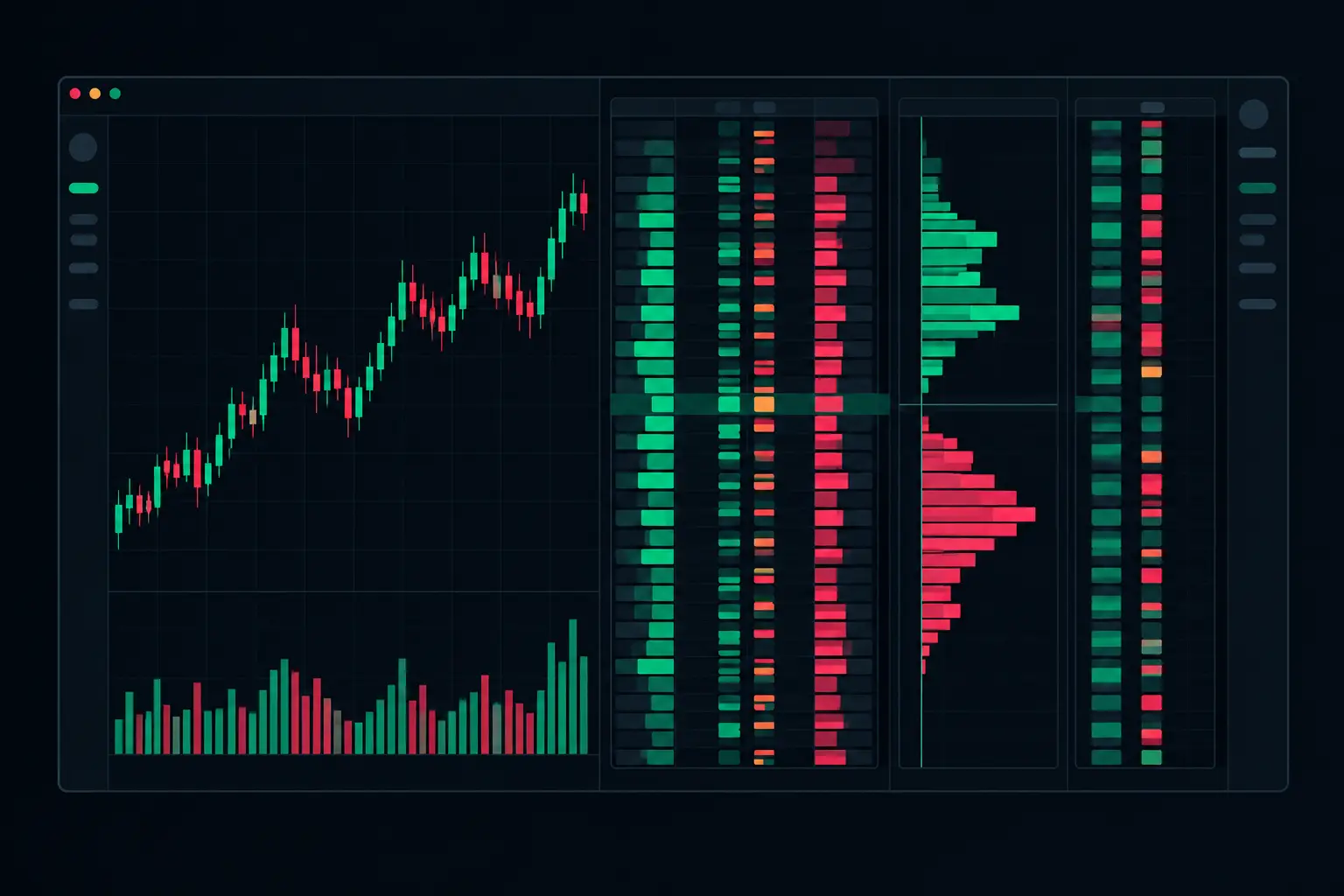
A footprint chart can become unreadable long before the market becomes difficult. Pack every available statistic into each bar and the auction disappears beneath colored numbers. Remove too much and you are back to interpreting candles without seeing who executed at each price. The best orderflow chart columns are not the columns with the most data. They are the columns that let you separate aggressive participation, passive response, and auction location without delaying your read.
For active futures work, each column needs a job. One should show the transaction at the price. Another should explain whether aggression accumulated. A profile should establish where the session accepted volume. The layout must remain legible when the E-mini S&P 500 contract accelerates, developing bars update, and the tape prints faster than a conventional chart can explain.
Which orderflow columns belong beside a footprint?
Use a footprint column for executions at each price, a profile column for accumulated activity and a bar or session summary for changes over time. Each column answers a different question; a volume total should not be read as delta or trade count.
The core footprint column is bid x ask volume at each price level. It exposes executed volume by aggressor side, rather than displaying only total volume. If 420 contracts lift the offer and 95 hit the bid at the same price, the difference is visible immediately. That is more precise than reading a single bar-volume figure and trying to infer the internal auction.
But bid x ask alone can become dense. A serious layout adds context beside it, not duplicate information. Delta, volume, profile, and imbalance columns should each be independently configurable for width, text size, color thresholds, placement, and developing behavior. When every visual element has an explicit purpose, the chart stays usable under speed.
Start with the execution column
For most footprint users, the main column should be bid x ask. It shows the two-sided transaction directly at each price and supports diagonal or horizontal comparisons. Diagonal imbalance compares ask volume at a price to bid volume one tick below, and bid volume at a price to ask volume one tick above. This aligns the comparison with the way aggressive buyers and sellers transact through adjacent prices.
A diagonal imbalance view is often more structurally informative than raw delta shading. It identifies where one side executed at a multiple of the opposing side, price level by price level. Stacked imbalances then show whether that condition persisted through several adjacent levels rather than appearing as a single isolated print.
Keep the imbalance ratio meaningful for the instrument and bar type. A low threshold can paint nearly every active section of a footprint, while a high threshold may hide the sequence that defines the auction. Minimum-volume filters matter just as much. An imbalance based on very small volume is numerically valid but may not carry the same structural weight as one formed through substantial execution.
The Essential Orderflow Chart Columns
The most effective layouts usually place the footprint itself beside a compact set of complementary columns. The exact order depends on screen space and how you read from left to right, but the functions remain consistent.
Bid x ask volume: the transaction record
Bid x ask is the primary execution record. It reveals whether transactions occurred by lifting the offer or hitting the bid at every price. Use it as the visual center of the bar, with separate colors for normal prints, imbalance highlights, and extreme-volume conditions.
Color logic should clarify, not decorate. A graduated background based on volume can show relative intensity, while text color or an outline can reserve attention for imbalance conditions. If every cell receives a strong color, stacked imbalance zones, exhaustion prints, and VPOC levels lose their hierarchy.
Delta: the aggression summary
Delta is ask volume minus bid volume. A delta column condenses the directional imbalance of execution into one number per bar, making it useful beside the detailed footprint. It shows whether aggressive activity was net positive or negative without requiring you to total every price row mentally.
Bar delta is not a replacement for the footprint. Two bars can produce similar delta while having entirely different internal structure. One may contain concentrated buying at the high and two-way activity below; another may show broad buying through multiple prices. The first may be an exhaustion condition, while the second may reflect an auction expanding upward. The price-level column provides that distinction.
Cumulative delta belongs in the layout when you need continuity across bars, sessions, or a defined reset period. It tracks the running difference between ask and bid volume and makes shifts in persistent aggression visible. Configure resets deliberately. A session reset answers a different question than a cumulative series that continues across multiple sessions.
Total volume: the participation filter
A total-volume column prevents delta from being read in isolation. A positive delta built on thin activity is not equivalent to positive delta built on a high-volume auction. Total volume also helps identify whether a price level is central to the bar or merely an edge print.
A total-volume column can stay compact because the bid x ask column already contains its components. Its role is fast comparison: which bar expanded participation, which price carried the largest transaction count, and whether an imbalance occurred with meaningful volume behind it.
Bar VPOC: the bar's center of volume
The bar VPOC marks the price with the highest traded volume within a footprint bar. It is a location marker, not simply another number. A developing VPOC can migrate as new transactions accumulate, while a completed bar VPOC fixes the point of greatest volume for that bar.
Display the VPOC with a line, highlight, or dedicated marker that remains visible without covering the bid x ask values. The key is persistence. A VPOC that is visually swallowed by volume shading is present technically but unavailable operationally.
Session profile columns: the larger auction
A footprint bar tells you the microstructure of a short auction. A session profile column shows where the broader auction accumulated volume. This is where dual independent profile columns become useful: one can display a developing session volume profile while the other shows a separate profile period, composite, or delta-based profile.
The value area and session VPOC establish context for every footprint bar beside them. A stack of ask imbalances occurring at the edge of a developing value area is different from the same stack occurring inside a dense high-volume node. The print is the same; its location is not.
Keep profiles visually separated from the footprint grid. The profile is a horizontal distribution, while the footprint is a price-by-price transaction table. Combining their colors or allowing profile width to crowd the execution cells creates unnecessary competition.
Columns That Need Conditional Use
Absorption and exhaustion columns can be highly useful, but they should be deployed as event filters rather than permanent clutter. Absorption identifies substantial aggressive volume meeting a passive response without the expected price displacement. Exhaustion highlights diminished activity at an auction extreme. Both calculations need thresholds suited to the instrument, session, and bar construction.
A dedicated marker column works when you want events separated from the footprint text. An in-cell highlight works when screen width is limited. The trade-off is direct: dedicated columns preserve the bid x ask read but consume horizontal space; embedded highlights are compact but require restrained color design.
Trades count can add context where transaction frequency matters independently of volume. It distinguishes a price reached through many smaller executions from one reached through fewer larger executions. It is not essential in every layout, however. If it does not change how you interpret auction participation, it is probably consuming space better assigned to a profile or delta column.
Build the Layout for Reading Speed
Arrange columns according to the order in which you inspect the auction. A practical left-to-right sequence is session profile context, footprint detail, then bar-level summaries such as delta and total volume. This lets the eye establish location first, inspect execution second, and confirm the aggregate third.
Use fixed widths for columns whose alignment matters, especially bid x ask and profile columns. Allow enough cell height for legible numerals at the chart's active zoom level. A dense footprint with undersized text is not a compact layout; it is unavailable information.
Separate normal-state colors from exception-state colors. Normal bid and ask volume should be quiet. Imbalances, stacked imbalances, VPOC, absorption, and exhaustion should each have distinct visual treatments that remain recognizable at a glance. Avoid assigning a different saturated color to every calculation. In a fast auction, visual hierarchy is part of the calculation.
SidiFootprint supports independently configurable footprint, profile, imbalance, delta, and alert behavior so the chart can be built around the information hierarchy you actually use, rather than a fixed vendor layout. The practical advantage is control: profiles can remain stable while execution cells update, and developing calculations can be visible without overwhelming completed-bar context.
The right column set is never universal. A scalper reading immediate execution may prioritize bid x ask, diagonal imbalances, bar delta, and developing VPOC. A trader examining session structure may give more width to dual profiles, value areas, cumulative delta, and completed-bar VPOCs. Build from the auction question you need answered, then remove every column that merely repeats it. When the tape accelerates, the cleanest footprint is the one that still shows exactly what traded at each price.
See it on your own chart.
Every Sidi tool is unlocked in the free 14-day demo. Install SidiFootprint in NinjaTrader 8 and load one of the finished color styles to start.
Start free 14-day demo → SidiFootprint features Browse color stylesRelated articles
Orderflow Analytics for Faster Market Context
Orderflow analytics exposes the bid/ask auction by price, helping NinjaTrader 8 futures traders read delta, imbalance, absorption, and VPOC in real time.
E-mini Bid Ask Visualization That Holds Up
See E-mini bid ask visualization at each price level, with footprint, delta, imbalances, VPOC, and profiles built for fast NinjaTrader 8 charts in motion.
Bid Ask Volume Indicator NinjaTrader Explained
Use a bid ask volume indicator NinjaTrader chart to expose volume, delta, imbalances, absorption, and profile context at every price level across futures.