
How to Create Custom Profile Columns in NinjaTrader
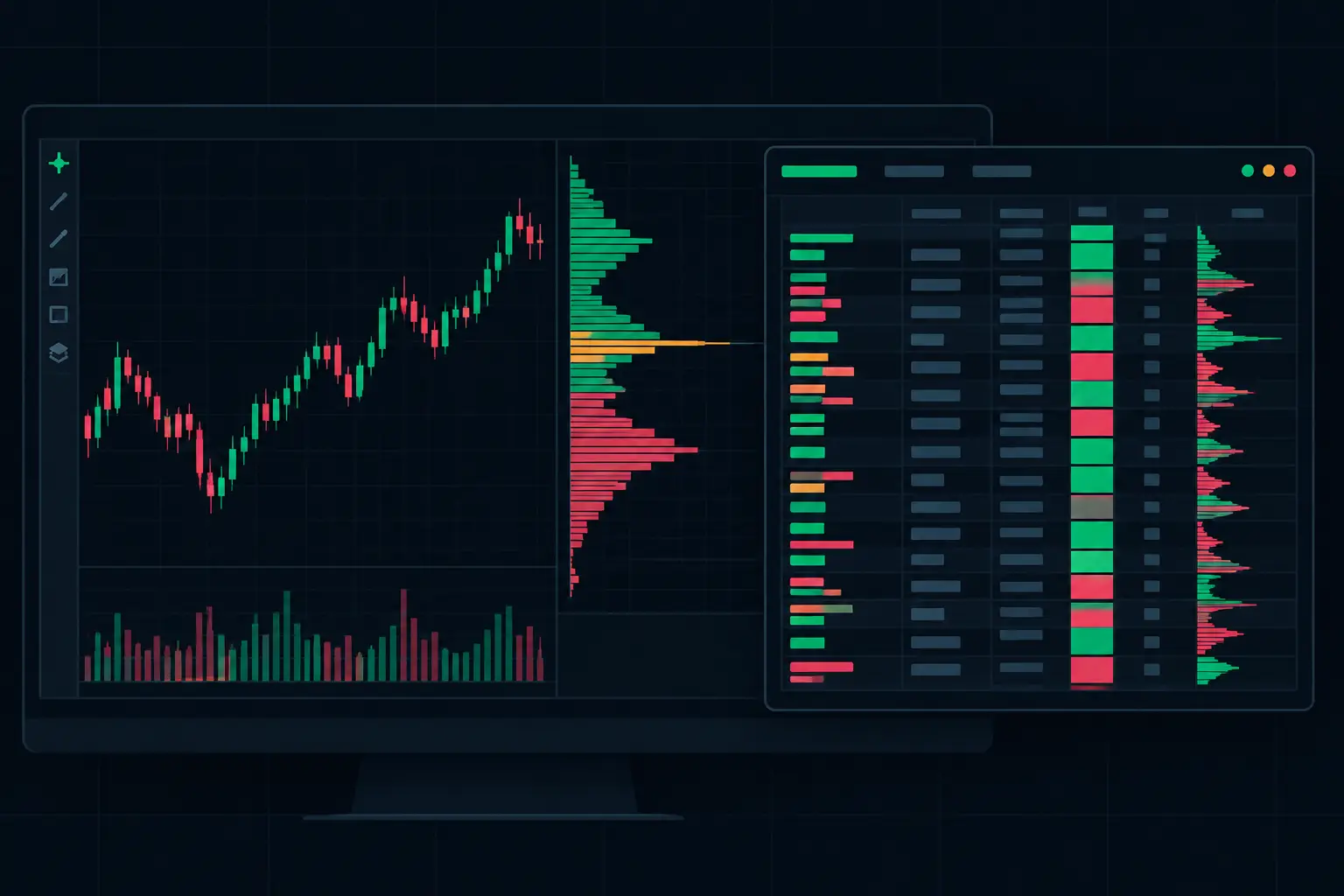
Most traders place a volume profile beside a footprint chart, accept the default display, and then force their read of the auction around it. When you create custom profile columns, the profile becomes part of the footprint structure instead: a dedicated, independently configured view of where participation accumulated, where control developed, and how the session is organizing around price.
For active NinjaTrader 8 futures traders, this matters when the market is moving through a prior value area, rotating around VPOC, or printing aggressive bid/ask activity at an important edge. A single generic profile can show distribution. Custom profile columns let you decide which distribution belongs beside each footprint bar and which information deserves its own visual lane.
Why Create Custom Profile Columns?
A footprint chart answers a price-level question: what actually traded here? A profile column answers a structural question: where did activity accumulate across a selected period? Those questions overlap, but they are not interchangeable.
A session volume profile may show a developing high-volume node while the footprint exposes whether the current auction is lifting offers, hitting bids, or stalling against passive liquidity. A delta profile may reveal directional participation that a volume-only profile cannot. When these views are placed in separate columns, the chart stays readable without forcing every calculation into the footprint body.
The practical advantage is separation of concerns. Keep the footprint focused on bid volume, ask volume, delta, trades, diagonal imbalances, absorption, and exhaustion. Use profile columns for the broader distributional context that frames those prints. The result is less visual compression at the price ladder and more control over what occupies the chart margin.
SidiFootprint supports two independent profile columns, which is a meaningful distinction when your workflow requires more than one view of the auction. One column can be built around total volume and value area structure. The other can show delta, trades, or another profile calculation using its own period, width, colors, and VPOC treatment. Neither column has to inherit the other’s logic.
Start With the Question Each Column Must Answer
Do not add profile columns merely because the chart has room. Every added histogram competes with price, footprint text, imbalance markers, and developing-bar information. Start by deciding what each column needs to clarify.
A volume-focused first column is usually the structural anchor. It can show where the session accepted price, where the largest concentration of activity sits, and where value formed. This is the natural place for a visible VPOC and value area boundaries when those references matter to your chart layout.
The second column should add a different dimension, not repeat the first. A delta profile can show whether net aggressive activity is concentrated in the same area as total volume or displaced from it. A trades profile can expose whether a busy-looking zone was built through numerous smaller transactions versus less frequent, larger activity. The useful comparison is not which profile is "better." It is whether the two columns describe the same auction condition or expose a mismatch.
For example, a volume profile may build heavily at a level while the adjacent delta profile remains comparatively muted. That is a different chart condition than high volume paired with strongly positive or negative delta concentration. The columns do not explain intent by themselves. They make the distribution of executed activity visible next to the price-level evidence.
Keep the Time Basis Deliberate
Profile period selection determines what the column represents. A session profile provides the full developing auction for the current session. A fixed range profile can isolate a specific market phase, such as the opening rotation, a balance area, or a high-activity interval. A bar-based or rolling calculation can provide more immediate context but may change rapidly as new data arrives.
There is no universal period setting. A scalper reading developing bars may want a shorter, highly responsive profile beside the footprint. A trader organizing the chart around session structure may prioritize a full-session volume distribution. The mistake is mixing periods without a reason, then treating both columns as if they describe the same auction.
Name the purpose before configuring the period. If the first column is "session acceptance," use a session basis. If the second is "current impulse participation," use a shorter basis that makes that distinction clear.
Configure the Column Without Losing the Footprint
Column width is not cosmetic. A profile that is too narrow hides distribution shape and makes VPOC visually ambiguous. A profile that is too wide steals space from the footprint numbers, especially on instruments where a trader needs to read several price levels at once.
Set width in relation to your bar spacing, font size, and the amount of footprint detail displayed. If your footprint includes bid x ask volume, delta, imbalance highlights, and multiple text conditions, prioritize price-level readability first. The profile should support the ladder, not crowd it.
Color settings deserve the same discipline. Use contrast to distinguish profile type and condition, not to decorate the chart. A total-volume profile can remain neutral while a delta profile uses directional colors. VPOC should be visible immediately, but it does not need to dominate every other reference. Value area boundaries should remain clear when they overlap an active footprint bar or an imbalance marker.
Opacity is especially useful when profiles extend into the chart area. A highly opaque profile can conceal developing footprint information. A transparent profile may become unreadable on a dense chart background. Test the display during active movement rather than only on a static historical chart.
Treat VPOC as a Configurable Reference
VPOC is the price with the greatest volume in the selected profile. Its usefulness depends on the profile period and display rules around it. A session VPOC and a shorter-range VPOC can occupy different prices without conflict because they measure different distributions.
Make that distinction obvious visually. If both profile columns display VPOC, use separate colors or line treatments. Otherwise, a quick read can confuse the session’s dominant price with the dominant price of a much shorter event window.
Also decide whether you need the VPOC line extended, limited to the profile area, or displayed only as a profile marker. Extending the reference can improve continuity across the chart. Limiting it can preserve a cleaner footprint field. The better choice depends on how many structural references are already present, including prior session levels, value area boundaries, and developing profile edges.
Use Independent Columns to Read Agreement and Conflict
The real value of dual profile columns appears when they agree or disagree with each other and with the footprint.
When volume and delta concentration develop around the same prices, the chart presents one type of aligned participation. When total volume builds at one location while delta is concentrated elsewhere, the distribution is more complex. The footprint then provides the detail needed to inspect the relevant prices: stacked imbalances, repeated bid or ask aggression, absorption behavior, or exhaustion after a directional sequence.
This is why profile columns should not be treated as a replacement for footprint data. Profiles aggregate. Footprints preserve the auction at each price level. Combining both lets you move from broad structure to the exact prints that built it without changing charts or overlaying unrelated indicators.
A useful layout often keeps the broader profile nearest the footprint and the more specialized profile farther out. Put the information you consult most frequently closest to price. If the second column is only needed when the session becomes active, give it less visual weight through width or opacity rather than removing its function entirely.
Common Layout Errors
The first error is duplicating the same calculation in both columns with nearly identical periods. Unless the display rules are materially different, this consumes space without adding context.
The second is using too many competing colors. If volume, delta, imbalances, VPOC, value area, absorption markers, and session references all use saturated colors, the chart stops communicating hierarchy. Reserve strong colors for conditions that require immediate attention in your own read.
The third is leaving developing and completed profile behavior visually indistinguishable. A developing session profile changes with each new transaction. A completed reference does not. Use display choices that make this status clear, especially when multiple sessions or ranges remain visible.
Finally, avoid configuring profile columns in isolation. A setting that looks precise at low activity can become unreadable when the footprint expands, the chart compresses, and multiple price-level annotations appear at once. Evaluate the entire workspace under the pace where you actually need to read it.
Build a Profile Layout That Holds Up Under Speed
The strongest custom profile layout is not the one with the most calculations. It is the one that preserves a fast path from session structure to executed detail. Start with one column that establishes the auction, add a second only when it answers a distinctly different question, and keep every color, width, and VPOC treatment accountable to chart readability.
When the tape accelerates, a well-built profile column should not demand interpretation time. It should make the developing distribution obvious, leaving your attention free for what traded at each price.
See it on your own chart.
Every Sidi tool is unlocked in the free 14-day demo. Install SidiFootprint in NinjaTrader 8 and load one of the finished color styles to start.
Start free 14-day demo → SidiFootprint features Browse color stylesRelated articles
VPOC Versus Session POC and What Each Shows
VPOC versus session POC is a scope question. Learn how profile boundaries, developing volume, migration, and acceptance sharpen futures chart daily context.
Volume Profile Indicator for Faster Context
Use a volume profile indicator to map VPOC, value area, and high-volume acceptance across each futures session with precise auction context during RTH.
Futures Order Flow Visualization Guide for E-mini
Use this futures order flow visualization guide to configure footprint, delta, VPOC, profiles, and imbalance context for fast E-mini auctions each day.